

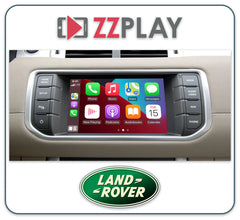

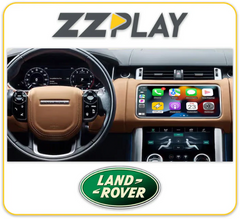
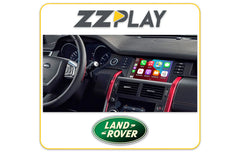
This is the 2nd vehicle that I have had this installed in. Would go back for a third when needed
Factory radio guide
Land Rover & Jaguar factory radios: which one do you have?
Jaguar and Land Rover have used several different screens over the years, and each CarPlay and Android Auto kit is made for just one of them. The same model and year can come with different screens, so start with what you can see: the screen size, any buttons beside it, and whether you have one screen or two. If you're still not sure, send us a photo of your screen along with your VIN.
-
No plug-in kit
Up to 2011
Pre-2012 touchscreen
Earlier Jaguar and Land Rover touchscreen and navigation systems, before 2012
How to tell
- Your model year is 2011 or older.
- The screen graphics look older, and on some cars the navigation maps load from a DVD.
- A Jaguar XF built late in 2011 may already have the newer system, so check the build date on the driver's door jamb sticker.
Quick check on the screen
Check the 10th character of your VIN (on the windshield corner, the driver's door jamb or your ownership): 9 = 2009, A = 2010, B = 2011.
CarPlay and Android Auto for this radio
None of the plug-in CarPlay kits we carry fit these earlier systems. Call us before you buy anything and we'll talk through what's possible for your car.
-
CarPlay kit available
2012-2016
2012-2016 Bosch touchscreen
Jaguar and Land Rover 2012-2016 Bosch touchscreen, with or without factory navigation
How to tell
- One touchscreen in the middle of the dash, about 7 or 8 inches, with real buttons and a volume knob around or below it.
- No InControl Apps tile on the home screen.
- Press Home. If Navigation opens a factory map, you have the navigation version. If there's no map, you have the version without navigation.
- Some Range Rovers and Range Rover Sports have Dual View, where the driver and passenger see different pictures on the same screen. Tell us if yours does.
Quick check on the screen
Press Home and look for Navigation. To confirm the model year, check the 10th character of your VIN (on the windshield corner, the driver's door jamb or your ownership): C = 2012, D = 2013, E = 2014, F = 2015, G = 2016.
CarPlay and Android Auto for this radio
With factory navigation, choose the ZZ-2 ITZ-LRB. Without navigation, choose the ZZ-2 ITZ-LR12-C, which needs the radio to have a CD player. Both work through your factory touchscreen and microphone, and a car without navigation gets proper maps through Google Maps, Apple Maps or Waze.
-
CarPlay kit available
2016-2019
InControl Touch 8-inch
InControl Touch with InControl Apps, 8-inch Bosch touchscreen
How to tell
- An 8-inch touchscreen with real buttons down both sides.
- An InControl Apps tile on the home screen or in the apps menu. That's the feature that runs phone apps over USB.
- Model year 2016 or newer.
- Some later cars have newer-looking graphics, so go by the screen size and the side buttons rather than the look.
Quick check on the screen
Look for InControl Apps on the home screen or in the apps menu. If you're unsure, send us a photo of the home screen and the buttons around it.
CarPlay and Android Auto for this radio
The GROM LR2BVL2 fits this system, and InControl Apps needs to be switched on. It uses your factory microphone and keeps your factory cameras working. Jaguar Land Rover's own CarPlay update doesn't cover this 8-inch screen, so a kit is the way to add it.
-
CarPlay kit available
2016-2018
InControl Touch Pro 10-inch
InControl Touch Pro, single 10-inch centre touchscreen (Harman)
How to tell
- One wide screen, about 10 inches, with no buttons beside it.
- A row of shortcut icons along the bottom and home pages you swipe through, like a tablet.
- Your climate controls are regular buttons and knobs below the screen, not a second touchscreen.
- Often paired with a 12.3-inch digital gauge cluster behind the steering wheel.
Quick check on the screen
Go to Settings, then All settings, then Software update. The version number includes a code such as 17, 18A or 18B.
CarPlay and Android Auto for this radio
Check first: Jaguar Land Rover released a software update that adds Apple CarPlay and Android Auto to many 2016-2018 cars with this 10-inch screen, so ask a dealer whether yours qualifies. If it doesn't, the ZZ-2 ITZ-LR15-T adds wireless CarPlay and Android Auto through your factory screen, plus front and rear camera inputs.
-
CarPlay kit available
2017 and newer
InControl Touch Pro 8-inch
InControl Touch Pro-style system on an 8-inch screen (Harman), 2017 and newer
How to tell
- Touch Pro-style menus: home pages you swipe through and a row of icons along the bottom.
- The centre screen is about 8 inches, not the 10-inch widescreen.
- Model year 2017 or newer.
Quick check on the screen
Go to Settings, then All settings, then Software update. A Touch Pro-style version number (with a code such as 17, 18A or 18B) on an 8-inch screen points to this system.
CarPlay and Android Auto for this radio
We carry ZZ-2 interfaces for this screen (ITZ-LR15-T, ITZ-LR15 and ITZ-LR15-A), but the right one depends on your exact car, so call us with your VIN before you order. Jaguar Land Rover's own CarPlay update doesn't cover 8-inch screens.
-
 ZZ-2 ITZ-LR15-T Wireless CarPlay and Android Auto Interface for Jaguar and Land Rover 8" and 10" Harman Screens
$1,149.99 CAD
ZZ-2 ITZ-LR15-T Wireless CarPlay and Android Auto Interface for Jaguar and Land Rover 8" and 10" Harman Screens
$1,149.99 CAD
-
 ZZ-2 ITZ-LR15 Wireless CarPlay and Android Auto Interface for Jaguar, Land Rover 8-inch Screen
$1,108.99 CAD
ZZ-2 ITZ-LR15 Wireless CarPlay and Android Auto Interface for Jaguar, Land Rover 8-inch Screen
$1,108.99 CAD
-
 ZZ-2 ITZ-LR15-A Wireless CarPlay and Android Auto Interface for Jaguar, Land Rover 8-inch Screen
$1,108.99 CAD
ZZ-2 ITZ-LR15-A Wireless CarPlay and Android Auto Interface for Jaguar, Land Rover 8-inch Screen
$1,108.99 CAD
-
CarPlay kit available
2018-2021
InControl Touch Pro Duo
InControl Touch Pro Duo, two 10-inch touchscreens stacked in the centre of the dash
How to tell
- Two touchscreens, one above the other: the top one for maps, media and phone, the lower one for climate and driving modes.
- The lower screen has two rotary knobs set into it.
- Very few physical buttons on the dash.
Quick check on the screen
Plug your phone into the front USB port with a cable. If Apple CarPlay or Android Auto starts, your car already has it.
CarPlay and Android Auto for this radio
Check first: from the 2019 model year Apple CarPlay and Android Auto were a factory option on these cars, and some have had it added by a dealer, so plug your phone in before buying a kit. If it's missing, the ZZ-2 IT4-LR-DUO adds wireless CarPlay and Android Auto plus camera inputs on 2019-2021 cars, and the ZZ-2 ITZ-LR15-T is the kit for 2018 Velar, Range Rover and Range Rover Sport.
-
CarPlay usually built in
2020 and newer
Pivi or Pivi Pro
Pivi and Pivi Pro, Jaguar Land Rover's newer infotainment system
How to tell
- A newer, phone-like interface, usually on a 2021 or newer car (Defender from 2020).
- Apple CarPlay and Android Auto show up in the phone or connectivity menus.
Quick check on the screen
Plug your phone in with a cable, or look in the phone menu for Apple CarPlay. If it's there, you don't need a kit.
CarPlay and Android Auto for this radio
Check first: Pivi and Pivi Pro support Apple CarPlay and Android Auto as standard, so you shouldn't need an interface. None of the kits we carry fit this system.
Still not sure which radio you have?
Text us a photo of your screen and the buttons around it, or send your VIN, and we'll tell you which kit fits.
-
 23 YEARS IN BUSINESSProudly Canadian, Est. 2003