

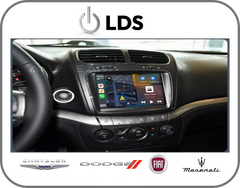
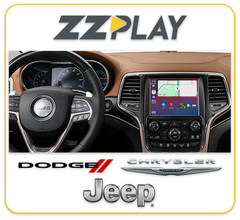

This is the 2nd vehicle that I have had this installed in. Would go back for a third when needed
Factory radio guide
Uconnect radios: which one is in your Chrysler, Dodge, Jeep or RAM?
Chrysler, Dodge, Jeep and RAM have used several factory radios over the years, and each CarPlay, Android Auto or camera interface is made for one of them. Start with the screen size and whether CarPlay is already there, then check the radio's name on your window sticker or its sales code (such as RA4) on a dealer build sheet. HD Radio is rarely broadcast in Canada, so skip any test that relies on the HD symbol.
-
No plug-in kit
2007-2018 (varies by model)
MyGIG (430, 430N, 730N)
MyGIG multimedia radio with hard drive: Media Center 430 (REN, RBZ), 430N with Garmin navigation (RHB) and 730N with navigation (RER, RHR)
How to tell
- A 6.5-inch touchscreen with a disc slot and buttons down both sides of the screen.
- Music is stored on a built-in hard drive.
- Press NAV. A map means a 430N or 730N; no navigation means a 430.
- Your window sticker names the radio, for example 'Media Center 730N'.
Quick check on the screen
Press NAV, or MENU and then Navigation. A map means a 430N or 730N, and no navigation means a 430. Your window sticker names the exact radio.
CarPlay and Android Auto for this radio
None of the CarPlay interfaces we carry are made for MyGIG, so call us to talk through options such as a replacement radio. Camera interfaces for MyGIG can't be used if your vehicle already has a factory backup camera or rear-seat video.
-
No plug-in kit
2011-2014
Uconnect Touch 4.3
Uconnect Touch 4.3: base radio with a 4.3-inch colour touchscreen and a separate CD player
How to tell
- A small 4.3-inch colour touchscreen in the centre of the dash, about 11 cm corner to corner.
- The CD player sits apart from the screen.
- The touchscreen also runs climate and vehicle settings, and there's no factory navigation.
Quick check on the screen
Measure the screen corner to corner. About 4.3 inches (11 cm) in a 2011-2014 300, Charger or Journey means Uconnect Touch 4.3.
CarPlay and Android Auto for this radio
None of the CarPlay interfaces we carry fit the 4.3-inch radio. Call us about CarPlay or camera options for your car, such as a replacement radio.
-
CarPlay kit available
2011-2014 (Journey 2011-2016)
Uconnect Touch 8.4 (2-piece)
Uconnect Touch 8.4 and 8.4N two-piece radio with a separate screen and radio box (RE2, RE3, RE6 without navigation; RB4, RB5, RB6 with navigation)
How to tell
- A big 8.4-inch touchscreen with a CD slot that sits apart from the screen.
- On the 8.4N version, NAV opens a factory map. The plain 8.4 has no navigation.
- The CD slot is the giveaway: the later one-piece 8.4-inch radio doesn't have one.
Quick check on the screen
Look for a CD slot apart from the 8.4-inch screen in a 2011-2014 300 or Charger, or a Journey. Press NAV to see whether you have navigation.
CarPlay and Android Auto for this radio
LDS EW-MSLDCP-01A adds wired and wireless CarPlay and Android Auto to this screen, and you keep touch control and your steering wheel buttons. It isn't listed for every year of this radio, so call us with your year before ordering. The ZZ-2 kit for the later one-piece Uconnect doesn't fit this radio.
-
No plug-in kit
2013-2018
Uconnect 3.0 (RA1)
Uconnect 3.0 AM/FM base radio (sales code RA1) with a small display that isn't a touchscreen
How to tell
- A base radio with a small display you can't touch, run by buttons and knobs.
- There's no phone button in the lower-left corner of the display, because this radio has no Bluetooth phone.
- Your window sticker lists it as 'Uconnect 3.0 AM/FM'.
Quick check on the screen
Touch the screen and look for a phone button in the lower-left corner. No response to touch and no phone button means Uconnect 3.0. Your window sticker confirms it.
CarPlay and Android Auto for this radio
CarPlay interfaces need a touchscreen, so none of our kits fit this radio. The practical way to get CarPlay is an aftermarket CarPlay radio. Call us and we'll match one to your truck.
-
No plug-in kit
2013-2018
Uconnect 5.0 (RA2)
Uconnect 5.0 AM/FM/BT radio (sales code RA2) with a 5-inch touchscreen, three buttons on each side and two knobs
How to tell
- A 5-inch colour touchscreen, about 13 cm corner to corner, with three buttons on each side and two round knobs.
- A phone button shows in the lower-left corner of the screen.
- There's no Apple CarPlay or Android Auto in the menus.
- Your window sticker says 'Uconnect 5.0 AM/FM/BT' or '5.0-inch Touch Screen Display'.
Quick check on the screen
Measure the screen (about 5 inches) and check the menus for CarPlay. No CarPlay means Uconnect 5.0. Your window sticker, or the sales code RA2 on a dealer build sheet, confirms it.
CarPlay and Android Auto for this radio
None of our CarPlay interfaces fit this 5-inch radio, because they're made for the 8.4-inch screen. For CarPlay, call us about a later factory Uconnect radio made for your vehicle (offered for some RAM and Grand Cherokee models) or an aftermarket CarPlay radio. A camera interface can be added behind this radio, but tell us if your truck has a factory cargo camera, since some won't work with it.
-
CarPlay kit available
2013-2018 (varies by model)
Uconnect 8.4 (RA3 / RA4)
Uconnect 8.4A (RA3) and 8.4AN with factory navigation (RA4): one-piece 8.4-inch touchscreen radio without CarPlay
How to tell
- A large 8.4-inch touchscreen built into the radio, with no separate CD slot and a menu bar along the bottom (Radio, Media, Climate, Nav, Phone, Apps or More).
- There's no Apple CarPlay or Android Auto anywhere in the menus. That's the easiest way to tell it from the later Uconnect 4C.
- Press Nav. A full 3D map means RA4 with factory navigation. RA3 looks the same but has no map unless a dealer has activated it.
- Your window sticker says 'Uconnect 8.4A' (RA3) or 'Uconnect 8.4AN' (RA4).
- In Canada, ignore the HD Radio symbol some guides use as a test.
Quick check on the screen
Plug in your phone. If CarPlay and Android Auto don't appear on a 2013-2017 8.4-inch screen, you have RA3 or RA4. Press Nav: a full 3D map means RA4. If the radio won't turn on, a dealer can look up the sales code from your VIN.
CarPlay and Android Auto for this radio
ZZ-2 ITZ-JGC adds wireless CarPlay and Android Auto to this screen, plus front and rear camera inputs. It's an expert install: the radio comes out and is opened on the bench, a circuit board is fitted inside the screen, and a small permanent hole is drilled in the radio's metal case. GROM VLine CHRUVL2 is another option for this screen, and it needs a factory backup camera.
-
CarPlay usually built in
2017-2020 and newer
Uconnect 4 with 7-inch display
Uconnect 4 with 7-inch touchscreen (sales code UAG), with Apple CarPlay and Android Auto built in
How to tell
- A 7-inch touchscreen, about 18 cm corner to corner, with hard buttons on the faceplate.
- Plug in your phone with a USB cable and Apple CarPlay or Android Auto comes up.
- Your window sticker says 'Uconnect 4 with 7-inch display'.
Quick check on the screen
Measure the screen (about 7 inches) and plug in your phone with a USB cable. If CarPlay or Android Auto starts, you have Uconnect 4.
CarPlay and Android Auto for this radio
Check first: CarPlay and Android Auto are already built in, using a USB cable. If you'd like them wireless, a small plug-in wireless adapter does it, so you don't need an interface. Some of these vehicles, such as the Wrangler JL and Gladiator, use a digital factory camera, so talk to us before ordering a camera interface.
-
CarPlay kit available
2017-2020 and newer (2018 on most models)
Uconnect 4C / 4C NAV 8.4
Uconnect 4C with 8.4-inch display (UAS, UCS) and Uconnect 4C NAV (UAQ, UCQ; UAV in 2019-2020 Grand Cherokee), with Apple CarPlay and Android Auto built in
How to tell
- An 8.4-inch touchscreen like the older RA3 and RA4, but plugging in your phone brings up Apple CarPlay or Android Auto.
- Your window sticker says 'Uconnect 4C With 8.4-inch Display' or 'Uconnect 4C NAV With 8.4-inch Display'.
- On a 2019-2020 Grand Cherokee, the screen is a separate piece set into the dash trim.
Quick check on the screen
Plug in your phone. CarPlay or Android Auto on an 8.4-inch screen means Uconnect 4C. A factory map under Nav means the 4C NAV.
CarPlay and Android Auto for this radio
Check first: CarPlay and Android Auto are already built in, using a USB cable. For wireless CarPlay and Android Auto plus extra Android apps on the screen, GROM VLine CHRUVL2 fits many of these vehicles, or a small plug-in wireless adapter covers wireless on its own. Some 2018 and newer vehicles use a digital factory camera, so talk to us before ordering a camera interface.
Still not sure which radio you have?
Text us a photo of your screen and the buttons around it, or send your VIN, and we'll tell you which kit fits.
-
 23 YEARS IN BUSINESSProudly Canadian, Est. 2003