Factory radio guide

BMW, MINI & Rolls-Royce factory radios: which one do you have?

The CarPlay and Android Auto kit your BMW, MINI or Rolls-Royce needs depends on the iDrive unit behind the screen, not just the model and year. The quickest checks are the buttons around the iDrive knob, whether the main menu is a list or a row of tiles, and the map name on the navigation version screen. If your car was built in a changeover year (2009, 2016 or 2019), check the car itself or send us your VIN.

  1. 2004-2008 (some 2009)

    CCC

    Car Communication Computer (first-generation iDrive with Navigation Professional)

    CarPlay kit available
    CCC screen and controls

    How to tell

    • There is only a MENU button beside the iDrive knob, with no RADIO, CD, NAV or TEL buttons around it.
    • Pressing MENU opens a start screen with four areas (Communication, Navigation, Entertainment, Climate) that you reach by pushing the knob in each direction.
    • Maps come from a DVD, not a hard drive, so many cars have a second disc slot or a map drive in the trunk.
    • The screen is a wide 8.8-inch display.

    Quick check on the screen

    Press MENU. A start screen with four areas around the centre means CCC. A list down the left side of the screen means CIC or newer.

    Found in

    • 1 Series 2008-2009 (E82/E88)
    • 3 Series 2006-2009 (E90/E91/E92/E93)
    • 5 Series 2004-2009 (E60/E61)
    • 6 Series 2004-2009 (E63/E64)
    • X5 2007-2009 (E70)
    • X6 2008-2009 (E71)

    Don't confuse it with

    CIC (2009 on) has a ring of buttons around the knob and a list-style menu. The 2002-2008 7 Series uses an earlier iDrive that isn't covered here.

    CarPlay and Android Auto for this radio

    The ZZ-2 ITZ-CCC adds wired and wireless CarPlay and Android Auto plus front and rear camera inputs, and you control it with the iDrive knob. Your car must have the factory AUX input. For a 2008-2009 X5 or X6, the VINLAND VBMX53L12B8 replaces the factory screen with a larger 12.3-inch one.

  2. 2009-2013 (Z4 to 2016)

    CIC

    Car Information Computer (iDrive with Navigation Professional and hard-drive maps)

    CarPlay kit available
    CIC screen and controls

    How to tell

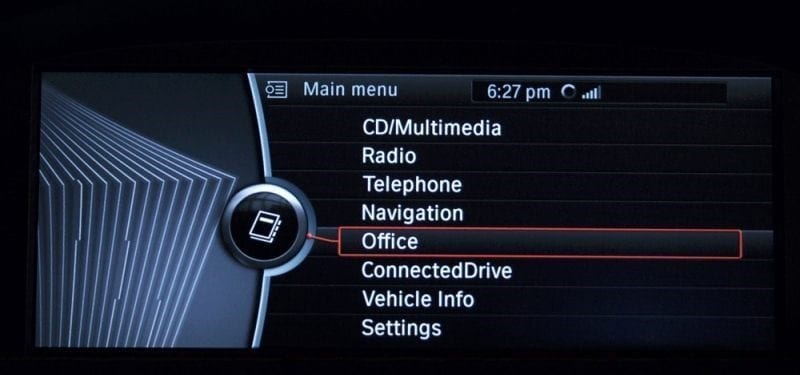
    • A ring of buttons around the iDrive knob: MENU, BACK and OPTION, plus RADIO, CD (or MEDIA), NAV and TEL shortcuts.
    • The top of the knob is smooth, with no touchpad.
    • The main menu is a list down the left side of a wide screen (8.8 inches, or about 10.2 inches in the 5, 6 and 7 Series).
    • There is one disc slot, and the maps are stored on a hard drive.
    • The map name on the navigation version screen ends in PREMIUM.

    Quick check on the screen

    Press NAV, then press the OPTION button next to the iDrive knob. Scroll to the bottom and choose Navigation system version. On North American cars the map name tells you the unit: PREMIUM is CIC, NEXT is NBT, EVO is NBT EVO, LIVE is iDrive 7, and ROUTE or WAY is a small-screen system.

    Found in

    • 1 Series 2009-2013 (E82/E88)
    • 3 Series 2009-2013 (E90/E91/E92/E93)
    • 3 Series 2012 (early F30 sedans)
    • 5 Series 2009-2010 (E60/E61)
    • 5 Series 2011-2012 (F10, F07 Gran Turismo)
    • 6 Series 2009-2010 (E63/E64)
    • 6 Series 2012-2013 (F06/F12/F13)
    • 7 Series 2009-2012 (F01/F02)
    • X1 2013-2015 (E84)
    • X3 2011-2013 (F25)
    • X5 2010-2013 (E70)
    • X6 2010-2014 (E71)
    • Z4 2009-2016 (E89)
    • MINI Cooper 2009-2016 (R-series, with navigation in the centre dial)
    • MINI Clubman 2009-2014 (R55, with navigation)
    • MINI Countryman 2011-2014 (R60, with navigation)
    • MINI Paceman 2013-2014 (R61, with navigation)

    Don't confuse it with

    NBT (2013 on) has the same buttons, but most NBT knobs have a touchpad on top and the map name says NEXT. CCC (up to 2008) has only a MENU button beside the knob.

    CarPlay and Android Auto for this radio

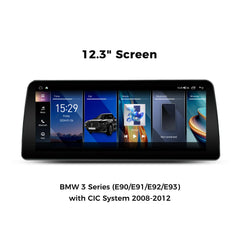
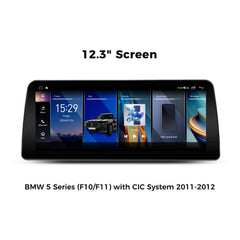
    The ZZ-2 IT3-CIC adds wireless CarPlay and Android Auto plus front and rear camera inputs, and keeps your iDrive controls. Sound plays through your car's Bluetooth audio, so make sure Bluetooth music streaming works before you order. For a bigger display, VINLAND 12.3-inch screens are available for the 3 Series (E90 family), 5 Series (F10) and X5/X6 with CIC.

  3. 2013-2016

    NBT

    Next Big Thing (iDrive 4 with Navigation Professional)

    CarPlay kit available
    NBT screen and controls

    How to tell

    • The buttons around the iDrive knob are much the same as on CIC (MENU, BACK, OPTION, RADIO, MEDIA, NAV, TEL).
    • On most cars the top of the knob is a touchpad you can write letters on with a fingertip. Some early 2013 cars have a plain knob.
    • The main menu is a list down the left, with a live preview such as the map or album art filling the right side.
    • The screen is 8.8 inches, or 10.25 inches in the 5, 6 and 7 Series and the X5/X6, and it isn't a touchscreen.
    • The map name on the navigation version screen says NEXT.

    Quick check on the screen

    Press NAV, then press the OPTION button next to the iDrive knob. Scroll to the bottom and choose Navigation system version. On North American cars the map name tells you the unit: PREMIUM is CIC, NEXT is NBT, EVO is NBT EVO, LIVE is iDrive 7, and ROUTE or WAY is a small-screen system.

    Found in

    • 2 Series 2014-2016 (F22/F23)
    • 3 Series and M3 2013-2016 (F30/F31/F34/F80)
    • 4 Series and M4 2014-2016 (F32/F33/F36/F82/F83)
    • 5 Series 2013-2016 (F10, F07 Gran Turismo)
    • 6 Series 2013-2016 (F06/F12/F13)
    • 7 Series 2013-2015 (F01/F02)
    • X1 2016-2017 (F48)
    • X3 2014-2017 (F25)
    • X4 2015-2016 (F26)
    • X5 and X5 M 2014-2016 (F15/F85)
    • X6 and X6 M 2015-2016 (F16/F86)

    Don't confuse it with

    CIC looks similar but has no touchpad, and its map name says PREMIUM. Early NBT EVO cars look the same, so if the map name says EVO, see NBT EVO below.

    CarPlay and Android Auto for this radio

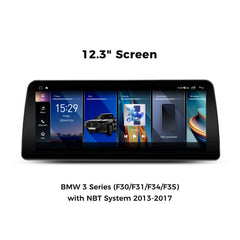
    The ZZ-2 IT3-NBT adds wireless CarPlay and Android Auto plus front and rear camera inputs, and keeps your iDrive knob and touchpad. Sound plays through your car's Bluetooth audio, and a 2016 car can be NBT or EVO, so call us with your VIN before ordering for a 2016. VINLAND 12.3-inch replacement screens are also available for the 3 and 4 Series, 5 Series, X1 and X5/X6 with NBT.

  4. 2014-2017

    NBT (i3 and i8)

    Next Big Thing navigation unit as fitted to the BMW i3 and i8

    CarPlay kit available

    How to tell

    • A free-standing screen that seems to float above the dash.
    • An iDrive knob with MENU, BACK and OPTION buttons, usually with a touchpad on top.
    • The main menu is a list down the left side, not a row of tiles.
    • The map name on the navigation version screen says NEXT.

    Quick check on the screen

    Press NAV, then press the OPTION button next to the iDrive knob. Scroll to the bottom and choose Navigation system version. On North American cars the map name tells you the unit: PREMIUM is CIC, NEXT is NBT, EVO is NBT EVO, LIVE is iDrive 7, and ROUTE or WAY is a small-screen system. NEXT means this system. EVO means the later version.

    Found in

    • i3 2014-2017 (I01, with factory navigation)
    • i8 2014-2017 (I12)

    Don't confuse it with

    Later i3 and i8 cars have NBT EVO, with a tile-style menu and EVO in the map name. Some i3s came with a smaller screen and simpler navigation, which may be a different unit.

    CarPlay and Android Auto for this radio

    The ZZ-2 IT3-NBT-i is made for the i3 and i8, so use it rather than the regular IT3-NBT. It adds wireless CarPlay and Android Auto plus front and rear camera inputs. If your i3 has the smaller screen, call us to confirm before ordering.

  5. 2015-2016

    NBT EVO ID4

    Next Big Thing Evolution hardware running the older iDrive 4-style software

    No plug-in kit

    How to tell

    • It looks and works just like NBT: a list-style main menu and a touchpad on the iDrive knob.
    • Most were built between 2014 and mid-2016.
    • The easy tell is the map name on the navigation version screen: it says EVO instead of NEXT.

    Quick check on the screen

    Press NAV, then press the OPTION button next to the iDrive knob. Scroll to the bottom and choose Navigation system version. On North American cars the map name tells you the unit: PREMIUM is CIC, NEXT is NBT, EVO is NBT EVO, LIVE is iDrive 7, and ROUTE or WAY is a small-screen system. EVO with a list-style main menu means this system.

    Found in

    • 2 Series 2015-2016 (some F22/F23)
    • X1 2016 (early F48)
    • 7 Series 2016 (early G11/G12)

    Don't confuse it with

    NBT looks identical, but its map name says NEXT. NBT EVO ID5/ID6 uses the same hardware but has a row of large tiles as its main menu.

    CarPlay and Android Auto for this radio

    This version has no factory CarPlay, and the right kit depends on your exact car. Call us or send us your VIN and we'll confirm which kit fits before you order.

  6. 2017-2019 (some models later)

    NBT EVO ID5 / ID6

    Next Big Thing Evolution with iDrive 5 or iDrive 6 software

    CarPlay kit available
    NBT EVO ID5 / ID6 screen and controls
    NBT EVO ID5 / ID6 screen and controls

    How to tell

    • The main menu is a row of large live tiles (such as Navigation, Media, Communication and My Vehicle) that show information inside them.
    • The screen is 8.8 or 10.25 inches. Many G-series cars (5 Series, 7 Series, X3) have a touchscreen; most F-series cars don't.
    • An iDrive knob with MENU, BACK and OPTION buttons, usually with a touchpad on top.
    • The map name on the navigation version screen says EVO.
    • Many of these cars can have Apple CarPlay from the factory. Connect your iPhone and see if CarPlay appears.

    Quick check on the screen

    Press NAV, then press the OPTION button next to the iDrive knob. Scroll to the bottom and choose Navigation system version. On North American cars the map name tells you the unit: PREMIUM is CIC, NEXT is NBT, EVO is NBT EVO, LIVE is iDrive 7, and ROUTE or WAY is a small-screen system. EVO with a row of tiles as the main menu means this system.

    Found in

    • 2 Series 2017-2021 (F22/F23)
    • 3 Series and M3 2017-2019 (F30/F31/F34/F80)
    • 4 Series and M4 2017-2020 (F32/F33/F36/F82)
    • 5 Series and M5 2017-2020 (G30/F90)
    • 6 Series 2017-2018 (F06/F12/F13)
    • 6 Series Gran Turismo 2018-2019 (G32)
    • 7 Series 2017-2019 (G11/G12)
    • X1 2017-2022 (F48)
    • X2 2018-2023 (F39)
    • X3 2017 (F25)
    • X3 2018-2019 (G01)
    • X4 2017-2018 (F26)
    • X5 2017-2018 (F15/F85)
    • X6 2017-2019 (F16/F86)

    Don't confuse it with

    iDrive 7 (2019 on) also uses tiles, but it has fully digital gauges and its map name says LIVE. NBT and EVO ID4 have a list menu with no tiles.

    CarPlay and Android Auto for this radio

    Check first, as many of these cars already have Apple CarPlay; if yours does, a kit still adds Android Auto and camera inputs. The ZZ-2 ITB-EVO works with both the touchscreen and the iDrive knob, while the ZZ-2 IT3-EVO uses the knob only. 2019 and 2020 cars can be iDrive 7 instead, so check the map name before you order.

  7. 2019-2022

    iDrive 7

    BMW Operating System 7 (MGU)

    CarPlay usually built in

    How to tell

    • Two separate screens: a fully digital gauge cluster and a 10.25-inch (or 8.8-inch) centre touchscreen.
    • The home screen is made of side-by-side tiles, and the iDrive knob and physical buttons are still there.
    • The map name on the navigation version screen says LIVE.
    • Apple CarPlay is usually already built in and works wirelessly.

    Quick check on the screen

    Press NAV, then press the OPTION button next to the iDrive knob. Scroll to the bottom and choose Navigation system version. On North American cars the map name tells you the unit: PREMIUM is CIC, NEXT is NBT, EVO is NBT EVO, LIVE is iDrive 7, and ROUTE or WAY is a small-screen system.

    Found in

    • 3 Series 2019-2022 (G20)
    • 4 Series 2021-2022 (G22/G23/G26)
    • 5 Series 2021-2023 (G30 facelift)
    • 7 Series 2020-2022 (G11/G12 facelift)
    • 8 Series 2019 on (G14/G15/G16)
    • X3 2020-2022 (G01)
    • X4 2020-2022 (G02)
    • X5 2019-2023 (G05)
    • X6 2020-2023 (G06)
    • X7 2019-2022 (G07)
    • Z4 2019 on (G29)

    Don't confuse it with

    NBT EVO ID6 also uses tiles, but its map name says EVO and most of those cars have analogue-style gauges. iDrive 8 (2022 on) uses one long curved glass display instead of two screens.

    CarPlay and Android Auto for this radio

    Check first: iDrive 7 came with wireless Apple CarPlay, and BMW later added Android Auto with a software update, so you most likely don't need a kit. If CarPlay doesn't appear on an early 2019 car, a BMW dealer may be able to switch it on.

  8. 2022 on

    iDrive 8

    BMW Operating System 8 / 8.5 with the curved display (MGU21)

    CarPlay usually built in

    How to tell

    • One curved glass panel joins the gauge display and a 14.9-inch touchscreen.
    • Most climate controls have moved onto the screen.
    • Wireless Apple CarPlay and Android Auto are built in.

    Found in

    • iX 2022 on
    • i4 2022 on
    • 3 Series 2023 on (facelift)
    • 7 Series 2023 on (G70)
    • X1 2023 on (U11)
    • X7 2023 on (facelift)
    • X5 and X6 2024 on (facelift)

    Don't confuse it with

    iDrive 7 has two separate screens and physical climate buttons.

    CarPlay and Android Auto for this radio

    Wireless Apple CarPlay and Android Auto are built in, so you don't need a kit.

  9. All years

    Small-screen BMW radios

    Base units in cars without Navigation Professional (M-ASK, CHAMP, Entry navigation)

    No plug-in kit

    How to tell

    • A smaller screen of about 6.5 inches with wide black borders, instead of a full-width 8.8- or 10.25-inch display.
    • Either no factory map at all, or a simpler navigation whose map name says ROUTE or WAY.
    • Your window sticker or build sheet doesn't list option 609 (Navigation Professional).

    Quick check on the screen

    Press NAV, then press the OPTION button next to the iDrive knob. Scroll to the bottom and choose Navigation system version. On North American cars the map name tells you the unit: PREMIUM is CIC, NEXT is NBT, EVO is NBT EVO, LIVE is iDrive 7, and ROUTE or WAY is a small-screen system. If there's no map at all, look for the smaller 6.5-inch screen.

    Found in

    • E-series models without factory navigation (M-ASK)
    • Early F-series models without factory navigation (CHAMP)
    • Models with BMW's Entry or Business navigation, about 2014 on

    Don't confuse it with

    CCC, CIC, NBT and EVO cars with Navigation Professional all have the large widescreen. On these cars, don't pick a kit by model year alone.

    CarPlay and Android Auto for this radio

    We don't have a plug-in kit we can confirm for these base units. Call us with your VIN and we'll check what's possible for your car.

  10. 2014-2018

    MINI 8.8-inch (2014-2018)

    MINI Navigation XL with the 8.8-inch screen, before touchscreens arrived (BMW NBT inside)

    CarPlay kit available

    How to tell

    • A wide 8.8-inch screen that fills most of the round centre display.
    • A MINI Controller with a touchpad on top.
    • The screen doesn't respond to touch.

    Quick check on the screen

    Touch the screen with the car parked. If it doesn't respond and the screen is the wide 8.8-inch one, this is your system.

    Found in

    • MINI Hardtop 2- and 4-door 2014-2018 (F56/F55)
    • MINI Convertible 2016-2018 (F57)
    • MINI Clubman 2016-2018 (F54)
    • MINI Countryman 2017-2018 (F60)

    Don't confuse it with

    Older R-series MINIs (to about 2014) have navigation in the big centre dial with a joystick, and use the CIC kit. A 2017-2018 Clubman or Countryman may have the newer EVO system with Apple CarPlay already, so connect an iPhone to check.

    CarPlay and Android Auto for this radio

    The ZZ-2 IT3-NBT adds wireless CarPlay and Android Auto plus front and rear camera inputs, and keeps your MINI Controller. Sound plays through your car's Bluetooth audio, so make sure Bluetooth music streaming works.

  11. 2014-2018

    MINI 6.5-inch (2014-2018)

    MINI radio or navigation with the 6.5-inch screen, before touchscreens arrived

    No plug-in kit

    How to tell

    • A smaller 6.5-inch screen in the round centre display, with more black around it.
    • Usually a plain controller knob without a touchpad.
    • The screen doesn't respond to touch.

    Quick check on the screen

    Touch the screen with the car parked. If nothing happens and the screen is the smaller size, this is your system.

    Found in

    • MINI Hardtop 2- and 4-door 2014-2018 (F56/F55)
    • MINI Convertible 2016-2018 (F57)
    • MINI Clubman 2016-2018 (F54)
    • MINI Countryman 2017-2018 (F60)

    Don't confuse it with

    The 6.5-inch touchscreen on later cars is a different system with its own kits.

    CarPlay and Android Auto for this radio

    We don't have a plug-in kit we can confirm for this screen. Call us with your VIN and we'll check what's possible for your car.

  12. 2018-2021

    MINI touchscreen (2018 on)

    MINI 6.5-inch or 8.8-inch touchscreen (BMW NBT EVO inside)

    CarPlay kit available

    How to tell

    • The screen in the round centre display responds to touch (6.5 or 8.8 inches).
    • On the Hardtop and Convertible, Union Jack-pattern tail lights mean a facelifted car, which has the touchscreen.
    • Many of these cars already have Apple CarPlay. Connect an iPhone to see.

    Quick check on the screen

    Touch the screen with the car parked. If it responds, this is your system.

    Found in

    • MINI Hardtop 2- and 4-door 2018-2021 (F56/F55)
    • MINI Convertible 2018-2021 (F57)
    • MINI Clubman 2018-2021 (F54)
    • MINI Countryman 2018-2021 (F60)

    Don't confuse it with

    Older MINIs with the same screen sizes don't respond to touch and use different kits. Some cars from these years have the BIS radio instead, which we confirm from your VIN.

    CarPlay and Android Auto for this radio

    Check first, as many of these cars already have Apple CarPlay; a kit still adds Android Auto and camera inputs. The ZZ-2 ITB-EVO works with both the touchscreen and the controller, and the ZZ-2 IT3-EVO uses the controller only. For cars with the 6.5-inch screen we also carry the ZZ-2 IT4-MINI18.

  13. 2018-2021

    MINI BIS radio

    MINI BIS factory radio

    CarPlay kit available

    How to tell

    • Fitted to some 2018-2021 MINI Hardtop, Clubman and Countryman models.
    • It's hard to tell apart from the other MINI systems of these years just by looking, so we confirm it from your VIN.

    Found in

    • MINI Hardtop 2- and 4-door 2018-2021
    • MINI Clubman 2018-2021
    • MINI Countryman 2018-2021

    Don't confuse it with

    The touchscreen system in MINIs of the same years uses different kits.

    CarPlay and Android Auto for this radio

    The ZZ-2 ITP-BIS adds wired and wireless CarPlay and Android Auto plus front and rear camera inputs, and you control it with the factory knob. Your factory Bluetooth stays connected and carries all music and calls. It's an expert install, with a circuit board fitted inside the radio.

  14. 2009-2020

    Rolls-Royce (BMW-based iDrive)

    Rolls-Royce versions of BMW's CIC, NBT and NBT EVO units

    CarPlay kit available

    How to tell

    • These cars use Rolls-Royce styled versions of BMW's iDrive, with the same units inside.
    • Use the same checks as on a BMW: a list menu or a row of tiles, and a touchpad on the controller or not.
    • The model year usually points to the system, but a 2014 Ghost and 2017-2018 cars can go either way.

    Found in

    • Rolls-Royce Phantom 2009-2012 (CIC)
    • Rolls-Royce Phantom 2013-2017 (NBT)
    • Rolls-Royce Ghost 2010-2014 (CIC)
    • Rolls-Royce Ghost 2014-2017 (NBT)
    • Rolls-Royce Ghost 2018-2020 (EVO)
    • Rolls-Royce Wraith 2014-2017 (NBT)
    • Rolls-Royce Wraith 2018-2020 (EVO)
    • Rolls-Royce Dawn 2016-2017 (NBT)
    • Rolls-Royce Dawn 2018-2020 (EVO)

    Don't confuse it with

    The Cullinan and the 2018-on Phantom aren't covered by these kits.

    CarPlay and Android Auto for this radio

    The kit follows the system: the ZZ-2 IT3-CIC for CIC, IT3-NBT for NBT and IT3-EVO for EVO. If your car is from a changeover year, send us your VIN and we'll confirm before you order.

Still not sure which radio you have?

Text us a photo of your screen and the buttons around it, or send your VIN, and we'll tell you which kit fits.